
Managing users
The user list is where you work with people: who they are, what they are studying, and what has slipped. Who is allowed to work here at all is decided on permissions instead.
Verified: Captured from
#/userManagement/users on 2026-09-04 in a company
space.The screen
Section titled “The screen”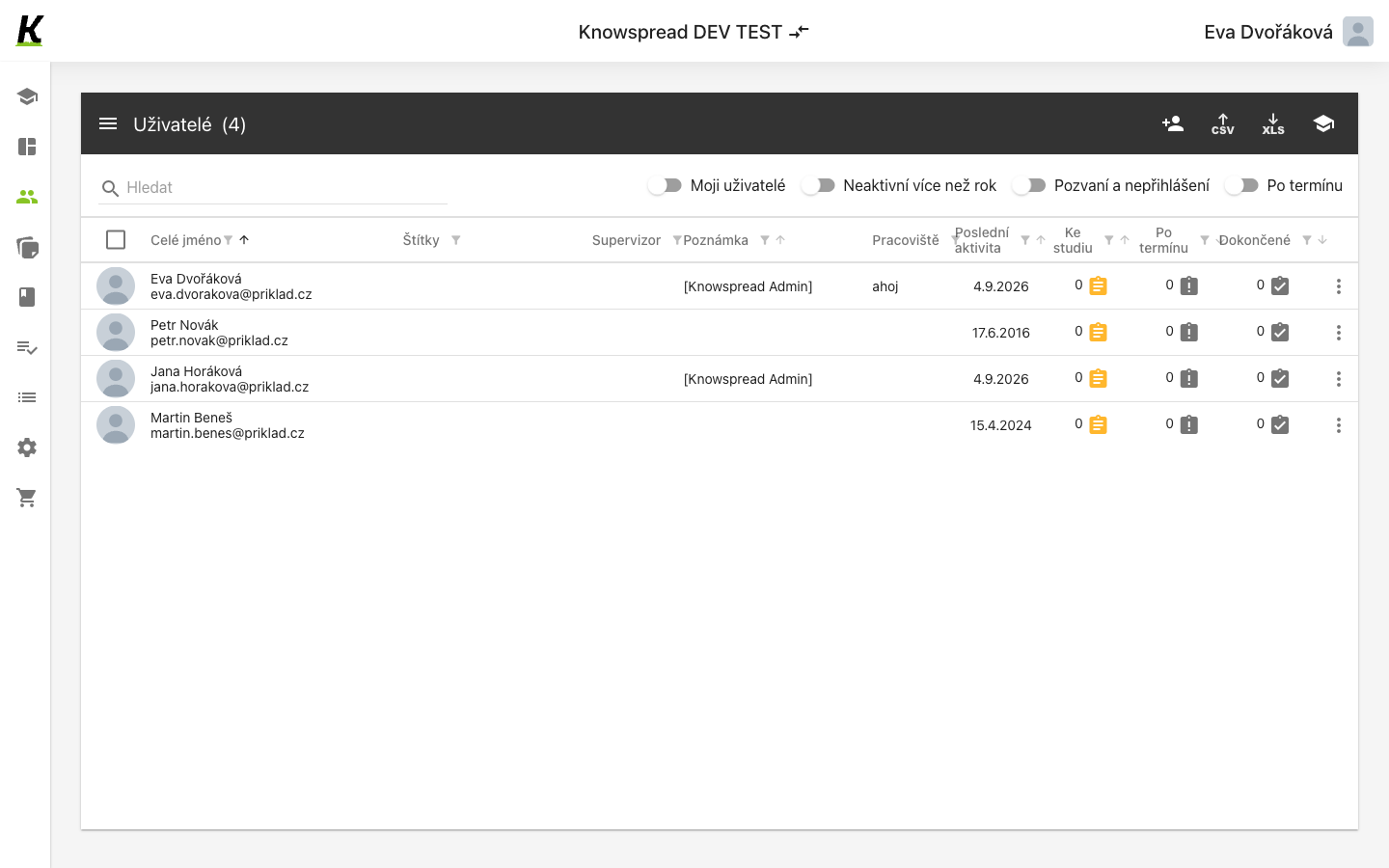
123
- The header carries the count and the actions that apply to the list as a whole: add a person, export to CSV or XLS, assign content (1).
- Four switches narrow the list to the cases worth attention — your own people, inactive for over a year, invited but never signed in, and past due (2).
- Each row is a person: name and address, then tags, supervisor, note, site, last activity, and three counts — to study, overdue, completed (3).
What the columns are for
Section titled “What the columns are for”Fact: Pracoviště draws its values from code
lists, so the column is only useful once sites exist
there.
Fact: Supervizor can hold a system entry rather than a person; in this
space it reads [Knowspread Admin].
Assumption: The three counts at the end are assignments rather than
content items — a plan assigned to someone would raise Ke studiu by one. The
column headings do not say, and we have not confirmed it against the code.
What to watch for
Section titled “What to watch for”Fact: The filters describe absence, not activity: Neaktivní více než rok
and Pozvaní a nepřihlášení both find people the list would otherwise hide in
plain sight.
Missing: What opens from the per-row menu, and what adding a person asks
for, still needs its own capture.