
Code lists
Code lists are where a space defines its own vocabulary. Three of them live here, and they are what the required user details in general settings actually draw from: switching on Požadovat po uživateli pracoviště is only useful once sites exist to choose from.
Verified: Captured from
#/csPreferences/codebooks on 2026-09-04.The screen
Section titled “The screen”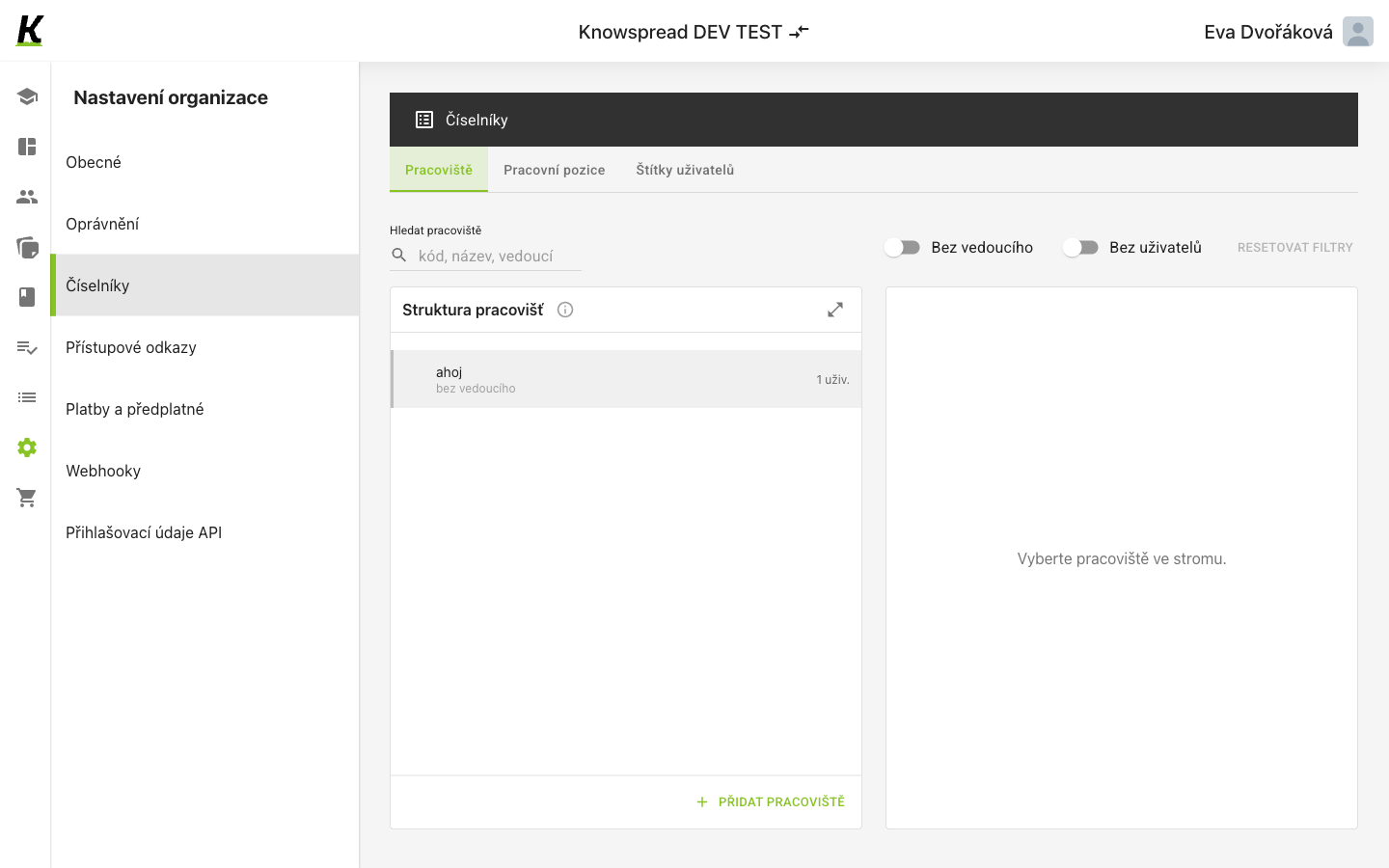
123
- Three lists share the screen, each on its own tab: Pracoviště, Pracovní pozice and Štítky uživatelů (1).
- Sites can be searched by code, name or lead, and two switches narrow the tree to the gaps — sites with no lead, and sites with no users (2).
- Přidat pracoviště adds to the tree (3). The pane on the right stays empty until you pick a site.
Sites are a tree, the other two are lists
Section titled “Sites are a tree, the other two are lists”Fact: Sites nest. The panel is called Struktura pracovišť and each entry
shows its lead and how many users sit in it, so a site is an organisational
unit rather than an address.
Assumption: Job titles and user labels are flat lists, since neither tab
offers a structure panel. We have not opened them yet.
Fact: The two filters exist because incomplete entries are the common
problem: a site with no lead and a site with no users are both worth finding.
What to watch for
Section titled “What to watch for”Fact: In a personal space this route does not open at all — it redirects to
the dashboard and the sidebar highlight jumps to Studium, so the click looks
like it did nothing.
Missing: What a site record contains, and what labels are used for once
assigned, still needs its own capture.